Ask Saara & your AI key
Plan your day in plain language — on your AI key, stored on your device. Nothing goes through Realmaya.
What Ask Saara does
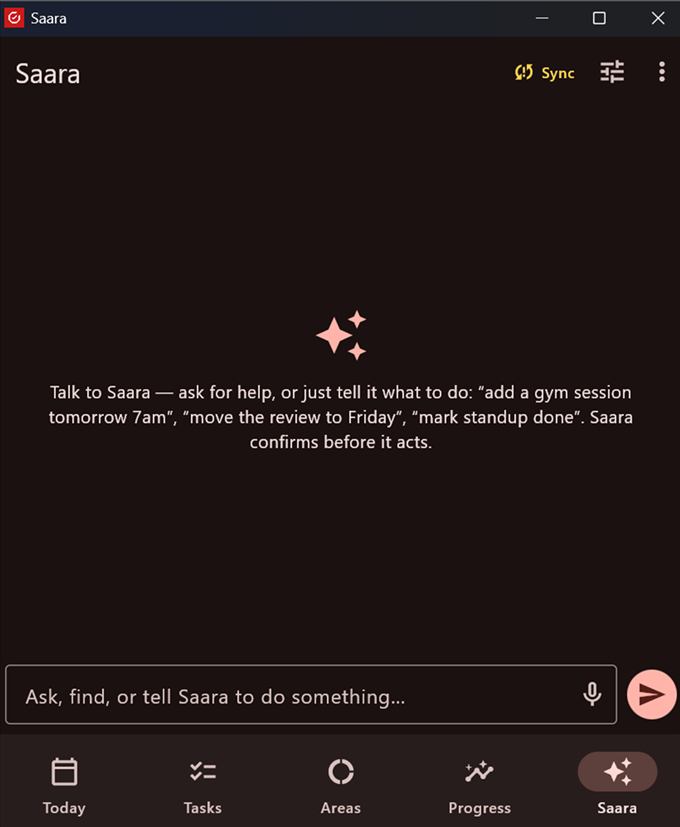
The Saara tab understands natural language. It can find ("What did I commit with the coaches?"), chat, and act (create, reschedule, rename, complete, delete) — always showing a Confirm card before it does anything.
Set up your key
Go to Settings → Saara AI (your key). Your key is stored only in this device's secure keystore, and Saara talks to the provider directly — nothing goes through Realmaya.
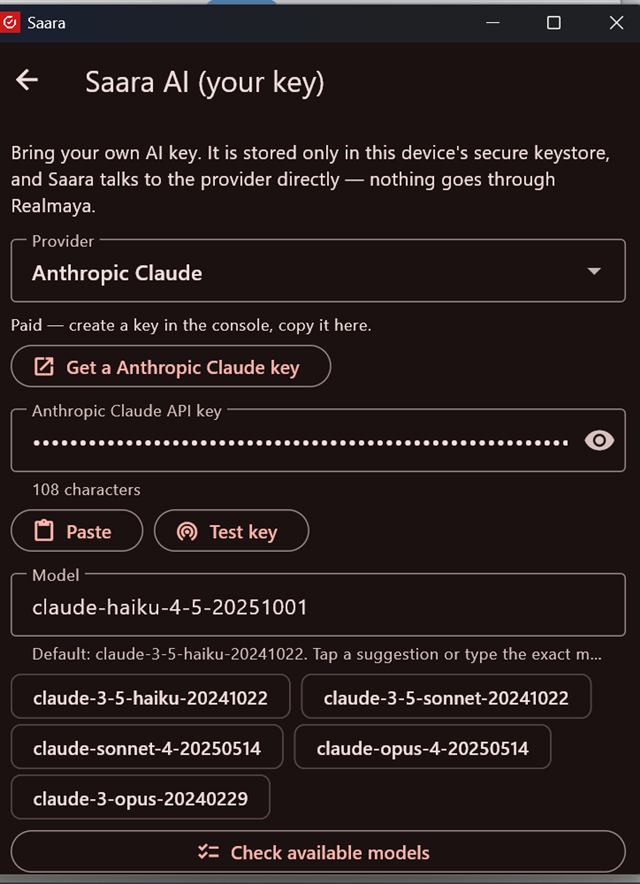
- Choose a Provider — Google Gemini (has a free tier) or Anthropic Claude (paid).
- Tap Get a [provider] key, create a key in their console, come back and Paste it.
- Tap Test key — you should see "✓ Key works".
- Pick a Model, or tap Check available models to list exactly what your key can use (this fixes "model not available" errors).
- Save.
You're sharing conversation text with a third-party AI, billed to your own account — review their data settings. Saara only ever sends what you ask it to, and only the AI features (assistant, reading screenshots, the optional card line) use the key. Everything else works with no key at all.