Settings & privacy
Every setting in one place — and how your data stays yours.
Settings reference
| Setting | What it does |
|---|---|
| Morning brief | "Open your day" reminder — pick the time (default 7:00 AM). Reviews yesterday's open items and commits to today. |
| Evening review | "Complete your day" — give each remaining task its disposition (default 9:00 PM). This is where a "missed" is ever set — never silently. |
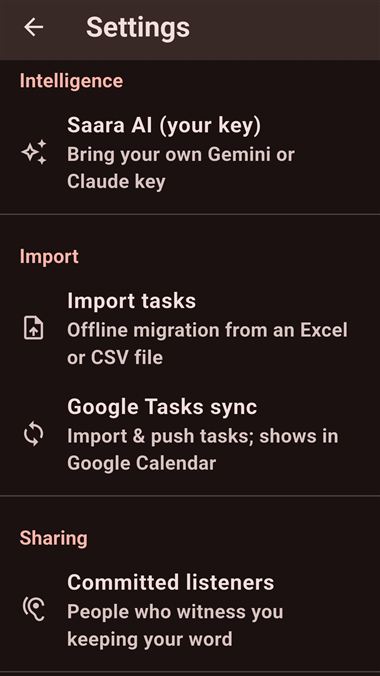
| Saara AI (your key) | Your Gemini/Claude key. See Ask Saara & your AI key. |
| Import tasks | Offline migration from an Excel or CSV file. |
| Google Tasks sync | Connect Google Tasks & Calendar. See Google sync. |
| Committed listeners | People who witness you keeping your word. See Sharing & reports. |
| Storage | What photos, video & audio are using — and reclaim space. |
| Export all my data | A local .zip of every task, area & capture — you choose where it goes. |
| Sync between my devices | Wi-Fi / file / folder sync. See Sync your devices. |
| Reset local data | Start this device over. A two-step, type-"RESET" safeguard — with an export offered first. |
| How Saara works | The in-app tour (the coach cards). |
| Saara for Windows | (Mobile) Get the desktop app. |
| Send feedback to the maker | Opens your email app — nothing is sent automatically. |
Reset local data is permanent. It brings back only what Google had synced. Your integrity history, captures, review notes, custom areas and anything never synced are gone for good. Saara offers to export first, and makes you type "RESET" — use it only if sync has genuinely gone wrong.
Privacy — how your data is kept
- On-device & encrypted. Your ledger lives in an encrypted database on your device. No account, no server, no telemetry.
- Your AI, your key. AI calls go device → provider directly; the key is in your OS keystore.
- Google sync goes device → Google directly — never through Realmaya.
- Yours to take. Export a full .zip or an encrypted ledger anytime; the ledger is its own backup.
Full details: Privacy policy · Delete your data.